Chat for questions
Paste an error you’re trying to understand, ask how an API works, or compare two ways to structure a function. Open Chat History to pick up an earlier conversation.
Open a folder, keep your files in view, and choose the kind of help you need. Natson puts your editor, terminal, and AI conversation in the same Windows workspace.
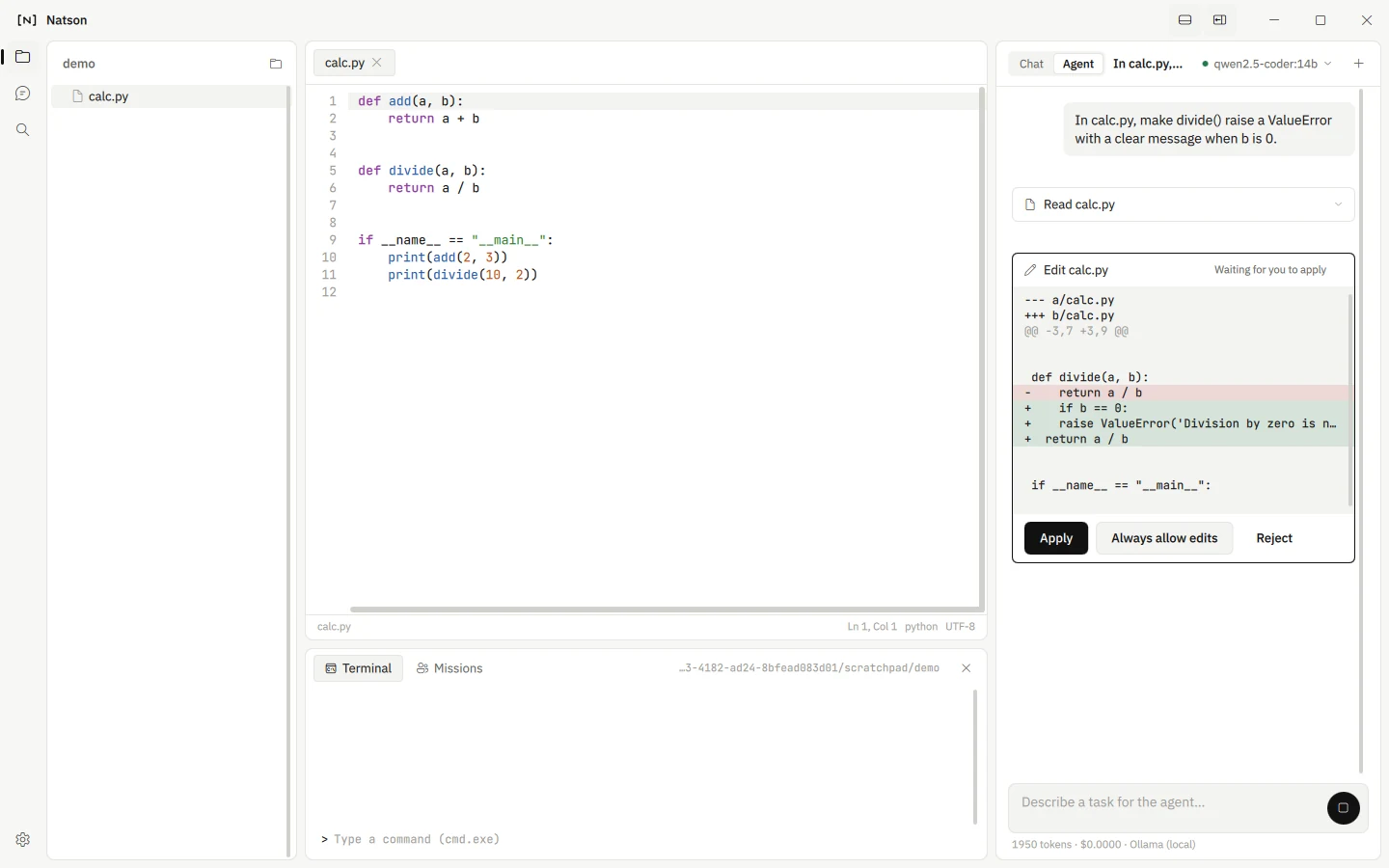
Start with a question or give Natson a task in the folder you’ve opened.
Paste an error you’re trying to understand, ask how an API works, or compare two ways to structure a function. Open Chat History to pick up an earlier conversation.
Try “Add input validation to this form and run the tests.” Agent can inspect the workspace, propose a file edit, and request a command. Review the proposed diff to see exactly what would change.
Enable Research in the model picker in Chat or Agent. Ask for the official documentation behind a library change, or follow citations to check a technical answer.
Split a broader task among agents with roles such as planning, coding, and review. Follow their work in the Missions panel.
Connect Ollama or llama.cpp to run a compatible model on your PC. The upcoming Pro and Max plans are for people who want hosted models without setting up a local model server.
Explore local AI and hosted plans